What actually happened
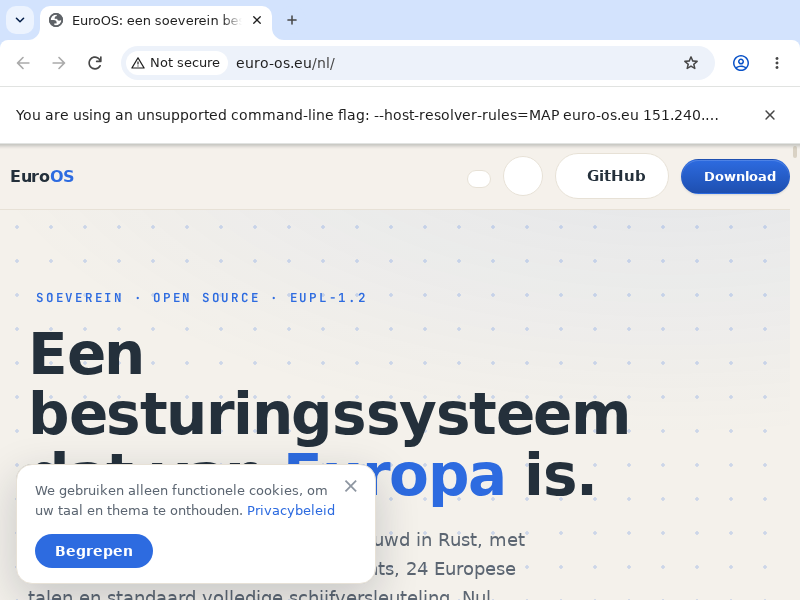
The strongest evidence is not the screenshot. It is the access log of our own web server, because we host euro-os.eu ourselves. On 26 August it recorded a visitor with the user agent Chrome/152.0.0.0 requesting, in order: the page, the stylesheet, a 176 KB screenshot image, the Inter and JetBrains Mono webfonts, and finally the web manifest. That is a browser doing what browsers do: parse HTML, discover subresources, fetch them, and render.
That visitor was Chromium 152, an unmodified 485 MB Linux binary, running as an ordinary application on EuroOS inside QEMU. Between the browser and our server sat no Linux, no BSD, no borrowed network stack. The chain was:
The sovereign chain, end to end
Name resolution: glibc's resolver falls back to 127.0.0.1:53, so EuroOS answers there itself: a kernel DNS responder that consults /etc/hosts, forwards real queries upstream, and runs every lookup through EuroGuard's DNS filter.
Transport: our from-scratch TCP implementation, with a central receive demultiplexer so parallel connections never steal each other's segments.
Hardware: our own virtio-net driver, brought up by our own DHCP client.
Rendering: Blink and Skia paint the result through our in-kernel X11 server.
A browser is also an input device
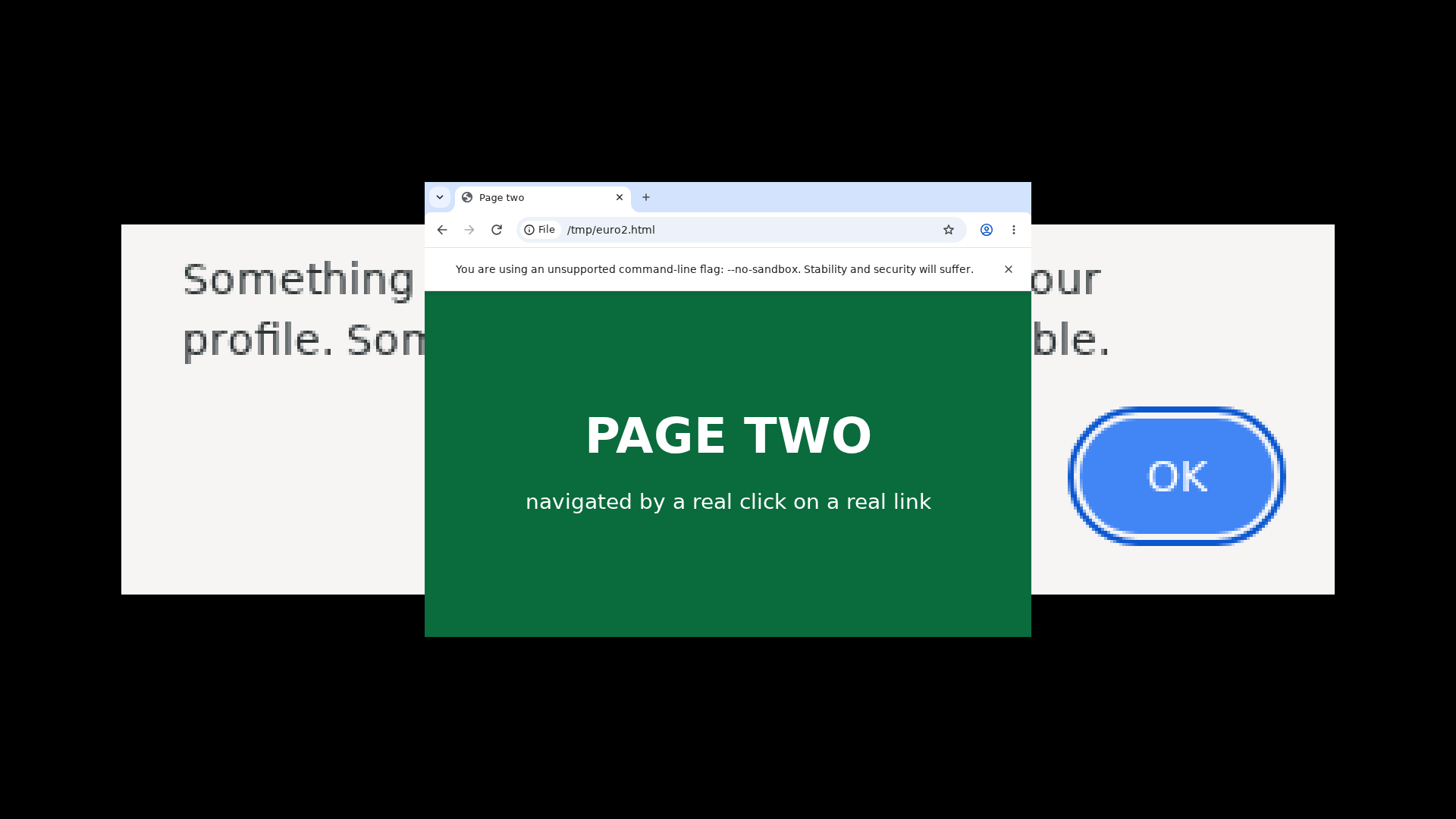
Fetching a page is half of browsing; the other half is clicking on things. Earlier in August we got there too, and it took an architectural detour worth sharing. Chromium's UI thread only polls its X connection when an internal glib race at startup resolves in the right direction, and on a slow emulated machine it often does not. Rather than fight an internal race we cannot influence, EuroOS talks to the browser over a channel Chromium explicitly offers: the DevTools pipe.
The kernel starts Chromium with --remote-debugging-pipe, attaches to the page session, and translates real mouse and keyboard input into DevTools input events. Those are delivered through Chromium's own task queues, which work in every thread state. The result, each verified by screenshots and logs: a click is processed by the page's JavaScript, a click on a link navigates to a new page, typed characters land in a form field with a blinking caret, and Chromium's own three-dot menu opens on a click.
And a desktop application
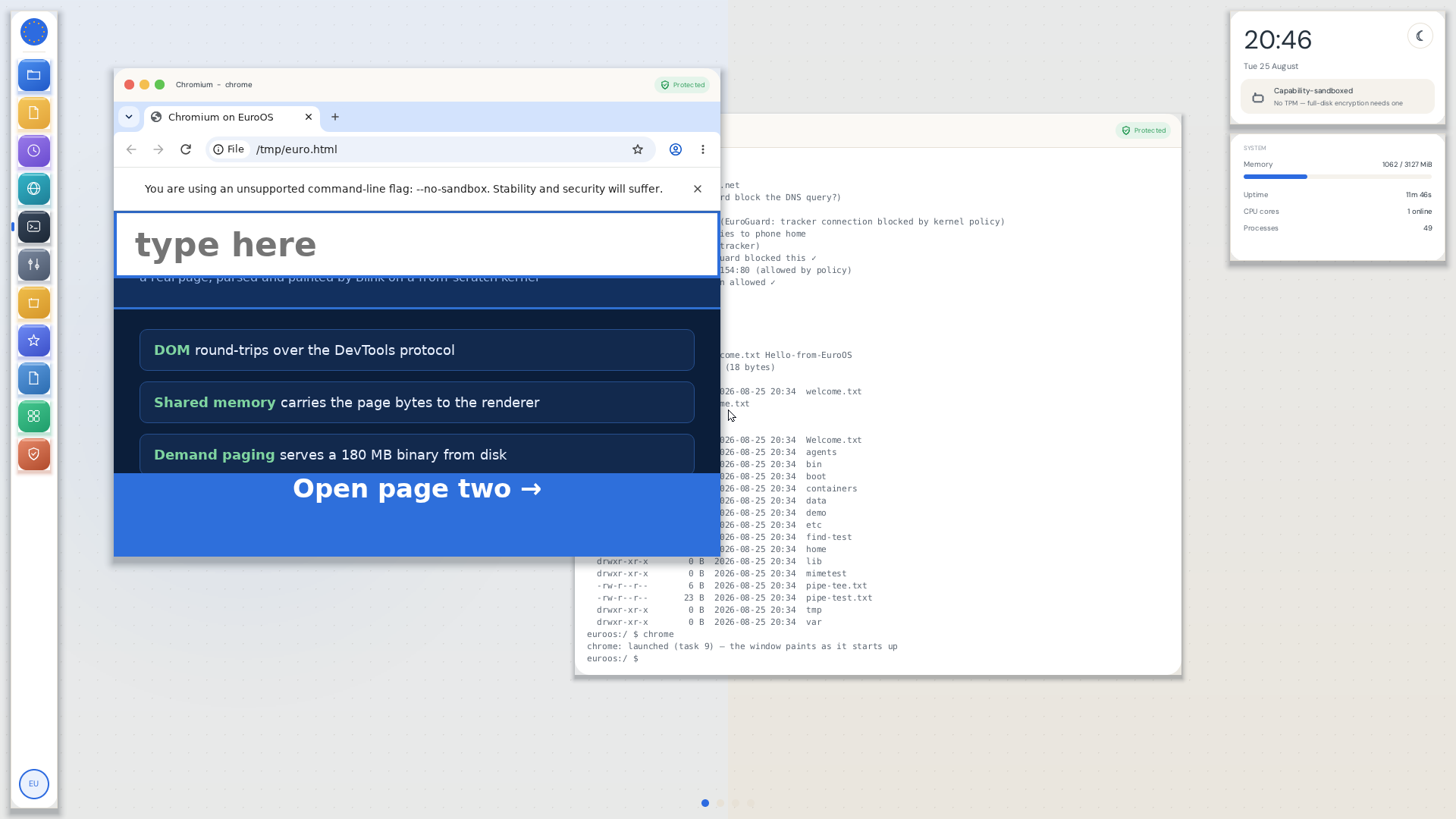
Typing chrome in the EuroOS Terminal launches the browser as a normal desktop application, in a EuroOS window with the EuroGuard badge in its title bar. That badge is not decoration. During these very test runs EuroGuard's per-application network policy was live-blocking the browser's tracker traffic at the kernel boundary, while letting the traffic we asked for through. A browser that phones home meets an operating system that decides whether home answers.
What the network stack had to learn
Chromium is the most demanding network client we have ever pointed at our stack, and it found real gaps. Each fix below came from a measurement, not a guess, and each is now covered by the test suite:
- Sockets became visible to poll and epoll. Our readiness reporting simply did not include network sockets. Chromium's event-driven stack cannot see a response arrive without it.
- An empty read is not the end of the stream. We returned 0 for "no data yet", which every POSIX program reads as "connection closed". Chromium politely discarded one perfectly healthy connection after another. Now 0 strictly means end of stream.
getsocknameexisted only as an error. Chromium asks for the local address right after connecting and fails the whole connection attempt if that call fails. This one line was the difference between every navigation dying and the site loading.- One reader per wire is a lottery. Every connection used to read the network card directly and drop frames meant for others. A central demultiplexer now routes each TCP segment to a per-port queue.
- The guest clock now follows emulation speed. Under plain emulation the guest experienced real seconds while Chromium computed for minutes, so its ten-second idle timeouts closed sockets before they could be used. QEMU's instruction-counting clock restored the browser's sense of time.
What honestly remains
- https. The TLS handshake is pure computation, and under our CPU-emulated test rig it takes longer than Chromium's handshake timeout. The TCP connections to port 443 establish; the handshake loses the race against the clock. On real hardware, or any host with KVM, this evaporates. Until then our server serves the test VM over plain http, while every real visitor keeps the https redirect.
- Speed. Roughly twenty minutes per HTTP resource in the emulated rig. That is the price of running a browser at one sixtieth speed, not a property of the stack.
- Browser chrome input. The omnibox and menus listen on the X path, which depends on that glib startup race. Page input through the DevTools bridge is the reliable path today.
Why this matters
A sovereign operating system that cannot reach the web is a curiosity. The point of this milestone is not that a browser ran; it is that the entire path a browser needs, from name resolution to TLS-ready TCP to a rendering pipeline, now exists in one auditable Rust codebase with a per-application policy engine in the middle of it. The next time a European organisation asks whether an OS built from scratch can carry real workloads, there is a screenshot, a server log, and 992 green tests that say it can.
The code is public: the work landed in pull request #12 on GitHub, and the full technical story, including the reproduction recipe and the proof images, lives in docs/CHROME-ON-EUROOS.md in the repository.