EuroOS is a sovereign operating system built from scratch in Rust, its own
kernel, filesystem, network stack, capability security and desktop, with no Linux or BSD underneath. This preview boots
to a working desktop with real networking and on-disk persistence. With hardware virtualization it boots in
~1–2 seconds.
A preview to look at and experiment with, not yet a daily-driver OS.
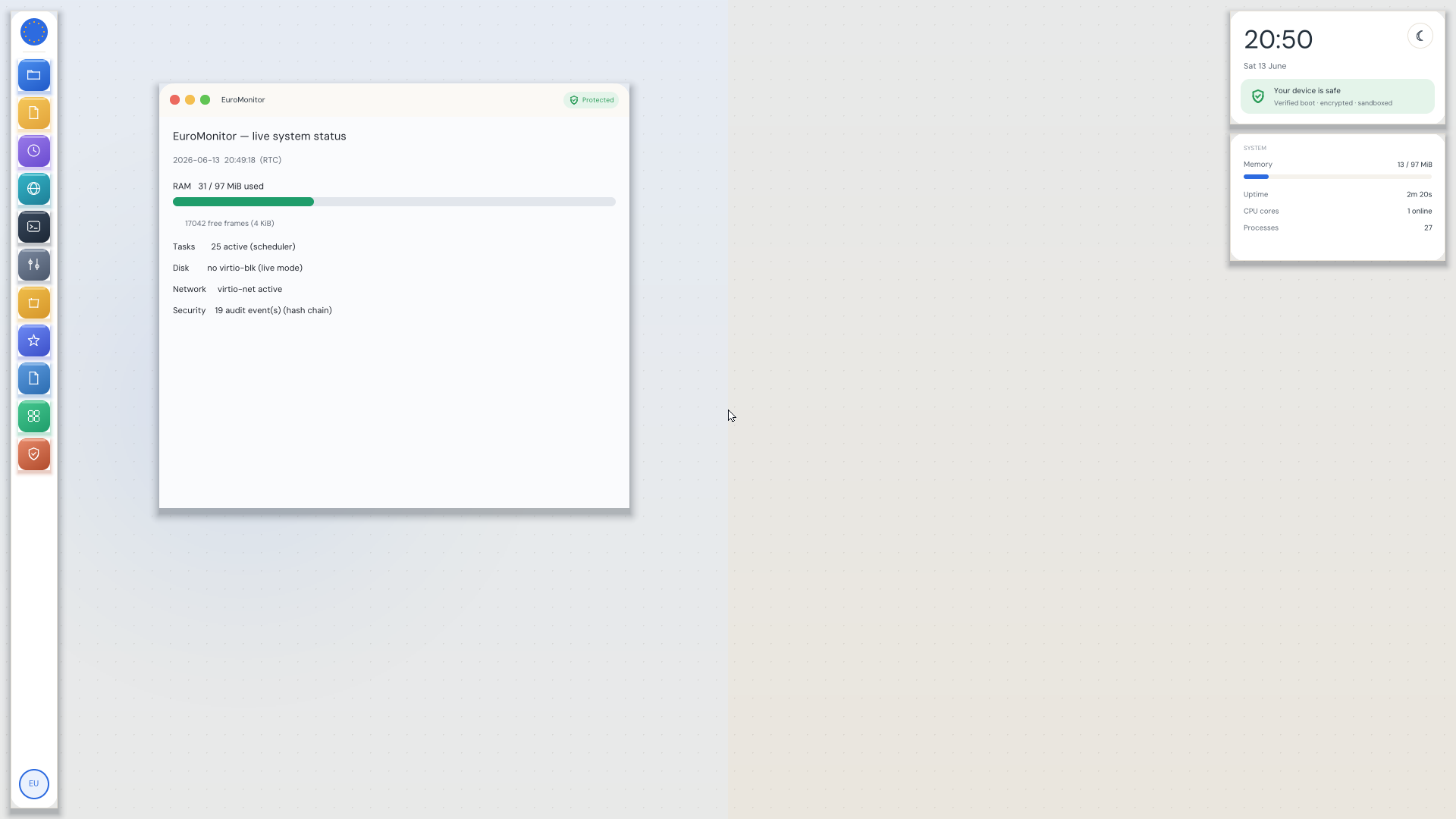
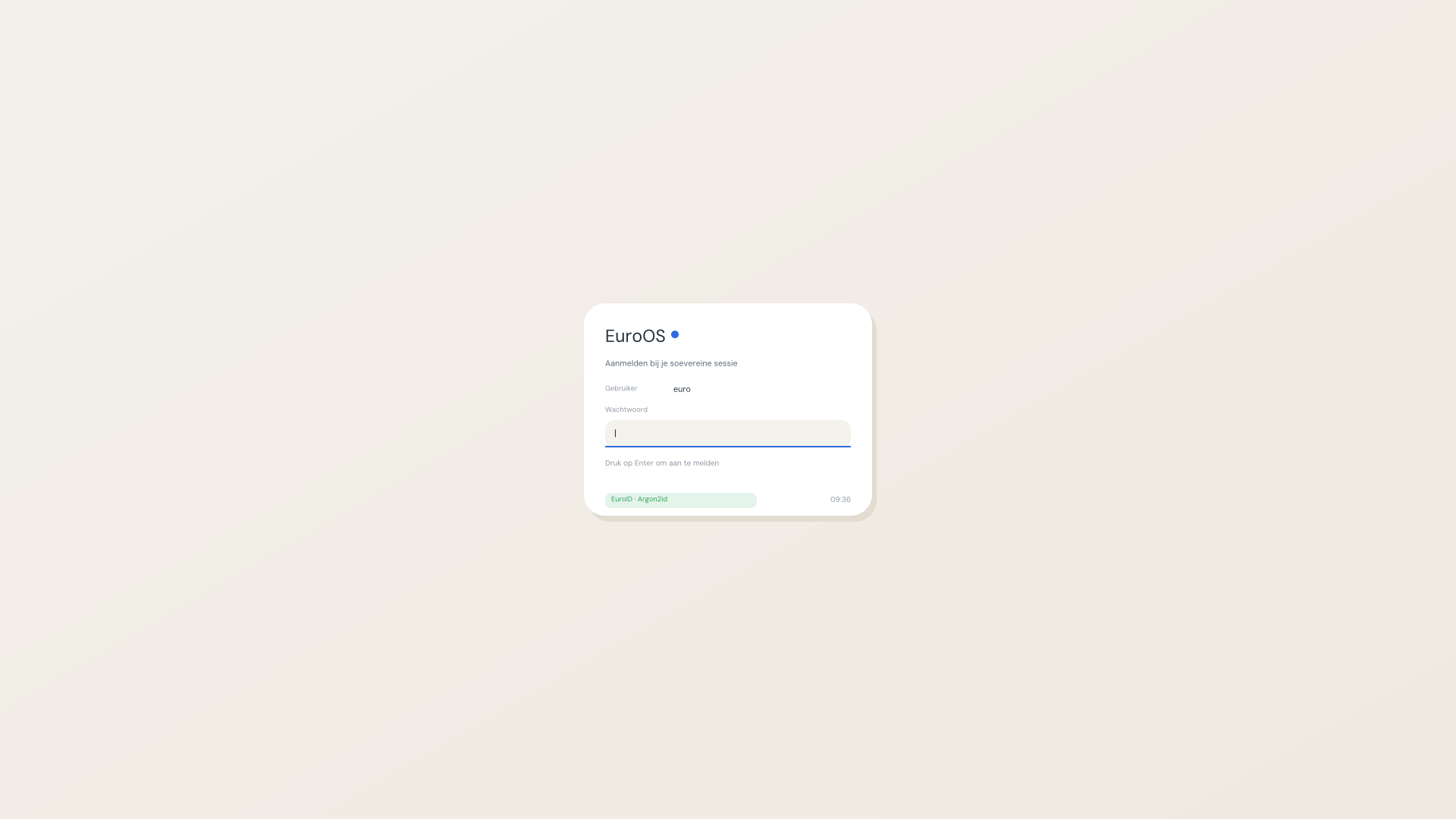
The EuroOS desktop in QEMU: a real interactive shell on a from-scratch OS: here EuroGuard blocks a tracker's phone-home and an ad domain's DNS lookup at the kernel, next to live filesystem commands. Apps like EuroMonitor open from the dock; the “device is safe” panel (verified boot · encrypted · sandboxed) sits top-right. Sovereign, capability-secured.The EuroOS lockscreen, the desktop session authenticates against EuroID with memory-hard Argon2id credentials, not a Linux PAM stack.
① QEMU , recommended
LinuxmacOSWindows~8.9 MB
A self-contained bundle: the EuroOS image, the UEFI firmware, and a one-click launcher. It sets up networking and a
persistent disk for you.
Install QEMU, apt install qemu-system-x86 qemu-utils · dnf install qemu-system-x86 qemu-img · brew install qemu · or the QEMU for Windows installer.
Unpack the archive.
Run ./run-euroos.sh (Linux/macOS) or double-click run-euroos.bat (Windows).
The launcher uses KVM (Linux), HVF (macOS) or WHPX (Windows) when available, that’s what makes it boot in seconds. Without acceleration it still runs, just slower.
② VirtualBox
.vmdkEFI
Download the disk image, then create a VM with EFI enabled.
New VM → Type “Other”, Version “Other/Unknown (64-bit)”.
System → Enable EFI.
Storage → attach the .vmdk as the hard disk.
Network → Adapter 1 → Paravirtualized Network (virtio-net), then start.
VirtualBox’s EFI is more finicky than QEMU, if it doesn’t boot, use the QEMU bundle.
③ Cloud, Whitesky.cloud, OpenStack, or any UEFI VM platform
.qcow2UEFIvirtio
A standard qcow2 cloud image. Upload it as a custom image/template, boot with UEFI firmware and a virtio
disk + virtio network interface, the desktop shows over the platform’s console/VNC.
Whitesky.cloud: create a VM from the uploaded qcow2 with UEFI boot enabled and a virtio
disk + NIC. (The image is UEFI-only, make sure the platform’s firmware is set to UEFI, not legacy BIOS.)
④ Raw UEFI image , latest build
.imgUSBUEFI~7.4 MB gz · 64 MB raw
The newest development build as a raw UEFI boot image (FAT32, x86-64). Write it to a USB stick to boot real hardware,
or attach it directly as a raw disk in QEMU or any hypervisor, the freshest desktop build.
Boot the machine/VM with UEFI firmware (not legacy BIOS).
Built from the current source tree. This build lands EuroOS’s modern-hardware (“Metal”) layer: it now installs to and boots from an NVMe or SATA disk (a modern, NVMe-only laptop runs standalone from its own disk), with from-scratch drivers for NVMe, AHCI/SATA, Intel e1000 and USB ethernet, USB hubs and USB audio, the ACPI power button, and TPM 2.0 over both the discrete (TIS) and firmware (CRB / fTPM / PTT) interfaces. Peripherals are network-first: driverless printing (IPP Everywhere) and scanning (eSCL), no per-vendor driver. And it plays DOOM, the real 1993 engine, as an unmodified userspace binary. It also carries the full sovereign-trust layer. The full-disk-encryption and secrets-vault keys are now sealed inside the TPM and released only on an untampered, measured boot; the VPN uses post-quantum hybrid key exchange (X25519 + ML-KEM-768, checked against the NIST vectors) so recorded traffic stays secret against a future quantum computer; EuroID can act as an eIDAS 2.0 digital-identity wallet with selective disclosure; the system image is protected by a signed dm-verity hash tree; time is authenticated (NTS); and every security event is written to a hash-chained, tamper-evident audit log. On the distribution side it adds a signed, rollback-safe update-delivery channel, multi-user sessions with per-user disk quotas, a signed package manager, a reproducible, Ed25519-signed release pipeline, and a GDB serial stub. The office core now opens and saves real .docx files (via a from-scratch DEFLATE), the system speaks all 24 EU languages (month and weekday names) with AZERTY/QWERTZ keyboard layouts, it knows what every file is and which app owns it (MIME + default-app), it has an audio mixer with per-app routing, and access to the camera, microphone or your files is capability-brokered: an app is granted it explicitly and per action (once, this session, or never) through the system permission portal, never as ambient access; every read of the system image is verified against a signed hash tree; the system journal survives a reboot; and a deadman watchdog catches a hung system. Sovereign data-control by design. Under the hood: a structured journal with crash capture, a deadman watchdog, a kernel-hardening baseline, continuous fuzzing, and DHCPv6 / mDNS / DNSSEC networking. Everything from before is still here: reads and writes FAT and exFAT, reads ext4, auto-mounts USB sticks, opens Windows (SMB) and NFS shares; secure A/B self-update with automatic rollback and Ed25519-verified images; the crash-consistent EuroFS; the GUI lockscreen (EuroID · memory-hard Argon2id); Zero-Trust for AI agents; the stateful firewall + forward-secret VPN; GNU-compatible coreutils; the live display server; and fail-closed TLS.
Verify your download
Current build 2026.07.14 (alpha, x86-64 UEFI). Check the SHA-256 against SHA256SUMS, see also VERSION:
sha256sum -c SHA256SUMS
Once it’s booted
The Terminal in the desktop is interactive. Try:
uname -a                     # EuroOS identity
caps                         # the capability security model
euroupdate status            # A/B slots + boot-attempt counter (new)
euroimmutable list           # tamper-proof system files (new)
eurousers audit --verify-chain  # tamper-evident audit log
js "document.write(6*7)"     # the EuroJS engine (new)
fsck                         # filesystem integrity scrub
ping gateway                 # real networking
free · ps · ls /
In the dock, open EuroText (type and save a file), EuroMonitor (live system status) and EuroLog (the live audit trail).
⑤ Optional: run Chromium on EuroOS
A real, unmodified Chromium 152 runs on EuroOS as an application. It is not baked into the OS image: it lives on a separate 550 MB "EuroPack" disk that the kernel demand-pages. Download the pack, attach it as a second disk, boot, and type chrome in the Terminal.
Honest requirements: KVM (or another hardware hypervisor) and 4 GB of guest RAM. Without KVM the browser runs, but at emulation speed, which means minutes instead of seconds. The pack contains the stock Chromium binary and its shared libraries, unmodified. Background: Chromium browses the web on EuroOS.
Support EuroOS
Did it boot for you? Help keep the machines running.
EuroOS is built by a small European team without venture capital. Our first goal, 500 € per month, covers this infrastructure and, above all, real test hardware: the GPUs, network cards and drives EuroOS has to support on physical machines, not just in an emulator.